
Scopes
Scopes define reusable conditions that limit resource access.
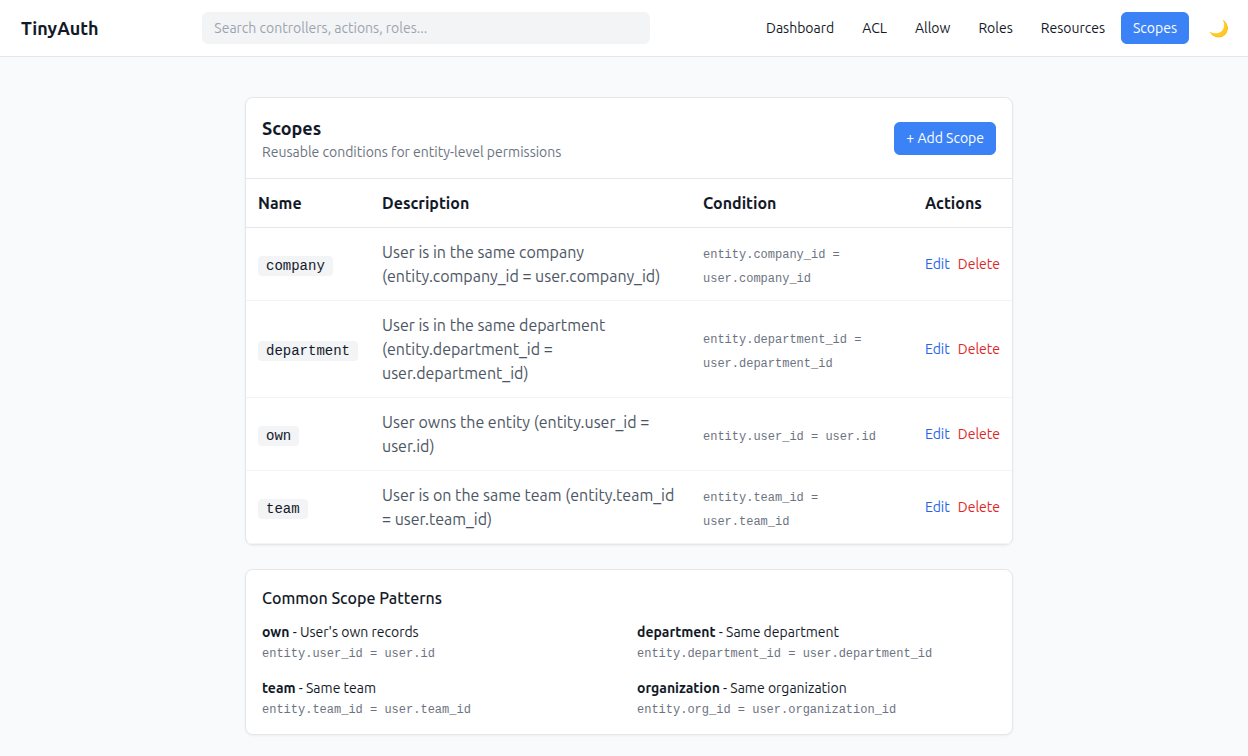
Overview
A scope compares a field on the entity with a field on the user to determine access.
Built-in scope pattern
The basic scope pattern:
text
entity.{entity_field} === user.{user_field}Creating scopes
- Go to
/admin/auth/scopes. - Click Add Scope.
- Enter:
- Name — identifier (e.g.
own,team,department) - Description — what this scope does
- Entity Field — field on the entity to check
- User Field — field on the user to compare
- Name — identifier (e.g.
Common scopes
| Name | Entity Field | User Field | Description |
|---|---|---|---|
own | user_id | id | User owns the entity |
team | team_id | team_id | User is on same team |
department | department_id | department_id | User is in same department |
company | company_id | company_id | User is in same company |
Database schema
sql
CREATE TABLE tinyauth_scopes (
    id INT AUTO_INCREMENT PRIMARY KEY,
    name VARCHAR(50) NOT NULL UNIQUE,
    description VARCHAR(200),
    entity_field VARCHAR(100) NOT NULL,
    user_field VARCHAR(100) NOT NULL,
    created DATETIME,
    modified DATETIME
);
Using scopes
When assigning resource permissions, you can optionally attach a scope:
| Role | Ability | Scope | Effect |
|---|---|---|---|
| user | edit | own | Can edit own articles |
| moderator | edit | (none) | Can edit all articles |
| user | view | (none) | Can view all articles |
Scope evaluation
php
// Scope: own
// entity_field: user_id
// user_field: id

// For an Article entity and a User identity:
$canAccess = $article->user_id === $user->id;
Advanced: custom scope logic
For complex conditions not covered by field comparison, extend the scope evaluation in your policy:
php
public function canEdit(IdentityInterface $user, Article $article): bool
{
    $service = new TinyAuthService();

    // Check base permission with scope
    if ($service->canAccessResource($user, $article, 'edit')) {
        return true;
    }

    // Custom logic: editors can edit unpublished articles
    if ($user->role === 'editor' && !$article->is_published) {
        return true;
    }

    return false;
}
Programmatic scope management
php
$scopesTable = $this->fetchTable('TinyAuthBackend.Scopes');

// Create a new scope
$scope = $scopesTable->newEntity([
    'name' => 'organization',
    'description' => 'Same organization as user',
    'entity_field' => 'organization_id',
    'user_field' => 'organization_id',
]);
$scopesTable->save($scope);

// Find scope by name
$ownScope = $scopesTable->find()
    ->where(['name' => 'own'])
    ->first();
Scope resolution
When checking permissions with a scope:
php
use TinyAuthBackend\Service\TinyAuthService;

$service = new TinyAuthService();

// This checks:
// 1. Does the user's role have 'edit' ability on the Article resource?
// 2. If a scope is attached, does the entity match the scope condition?
$canEdit = $service->canAccessResource($user, $article, 'edit');
Best practices
Keep scopes small
- Keep scopes simple — one condition per scope.
- Use descriptive names —
own,team, notscope1. - Document scopes — clear descriptions help administrators.
- Test scope conditions — verify field names are correct.
- Handle null fields — consider what happens if
entity_fieldis null.