
Overview
TinyAuthBackend gives you a database-backed admin UI for permissions and roles in CakePHP. It is a companion to the TinyAuth plugin and replaces the native INI file approach with editable database tables.
CakePHP version
This documentation is for the branch that supports CakePHP 5.1+. See the version map for older releases.
What you get
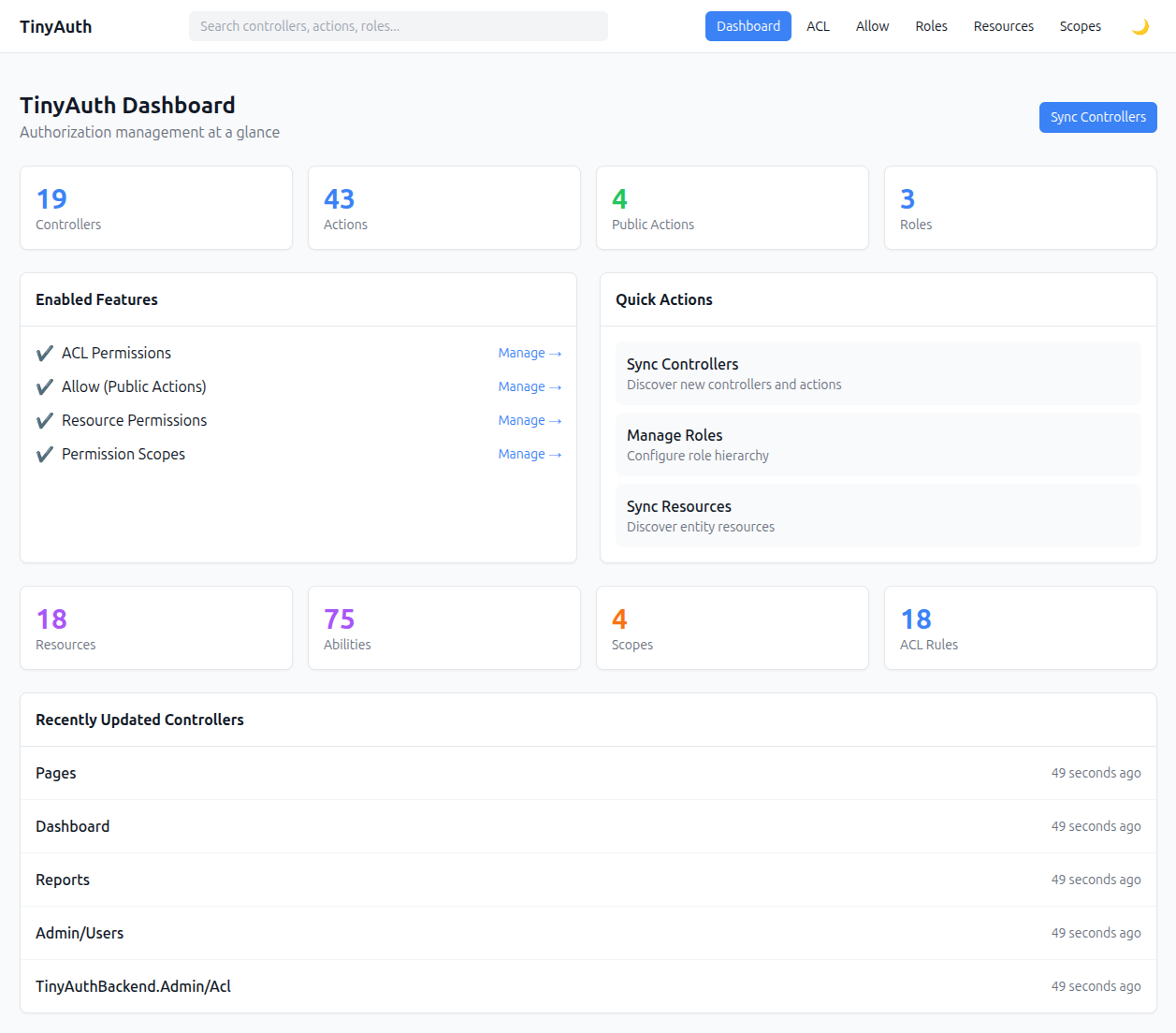
- A self-contained admin UI mounted at
/admin/auth. - Drop-in adapters (
DbAllowAdapter,DbAclAdapter) that let TinyAuth readallowandaclrules from the database instead of INI files. - Optional resources, abilities, scopes, and role hierarchy for entity-level authorization.
TinyAuthPolicyandTinyAuthResolverfor integration with the cakephp/authorization plugin.
Four usage strategies
The package supports four practical usage strategies, arranged as a ladder you can climb as your project's needs grow:
- Adapter-only TinyAuth — keep classic TinyAuth
allow+aclbehavior, but store those rules in the database instead of INI files. - Full TinyAuthBackend — use the admin UI plus resources, scopes, role hierarchy, and
TinyAuthPolicy/TinyAuthServicefor entity authorization. - Backend UI + native CakePHP auth — keep CakePHP Authentication / Authorization as your runtime layer and use this package mainly as a DB-backed permission management UI.
- External role source — drive role aliases from a JWT claim, an LDAP group, an SSO gateway, or any other source outside the plugin, while keeping ACL / resource assignments in the backend.
See the Strategies overview for a comparison and pick the one that fits your app.
The admin URL
The plugin mounts under:
/admin/authCommon sections:
| URL | Purpose |
|---|---|
/admin/auth/allow | Public action management |
/admin/auth/acl | Controller/action ACL matrix |
/admin/auth/roles | Roles and hierarchy |
/admin/auth/resources | Resource abilities |
/admin/auth/scopes | Field-based scopes |
/admin/auth/sync/controllers | Scan controllers/actions into the database |
/admin/auth/sync/resources | Scan entities/resources into the database |
Access is fail-closed
The admin UI manages authorization rules, so accidental exposure is RCE-equivalent. The plugin rejects every admin request with 403 until you configure an explicit gate. See Admin Access.
Next steps
- Installation — install the plugin and run the migrations.
- Admin Access — configure who may manage
/admin/auth. - Strategies — choose how deeply you integrate the backend.
- Permissions — roles, public actions, ACL, resources, and scopes.