
Getting started
TestHelper adds a browseable developer backend at /test-helper for your CakePHP app, collecting several day-to-day tools in one place.
TIP
These tools run application tests and can generate files. Keep them behind your development access gate. See Configuration for the authorization and back-link options.
Tools
| Tool | What it does |
|---|---|
| Association vs DB Audit | Compare declared associations against the real database foreign keys, with copy-paste fixes |
| SQL to Query Builder | Convert raw SQL into CakePHP Query Builder code |
| Test Runner | Run tests and view results/coverage in the backend; bake missing test files |
| Fixture Check | Compare fixtures against the live DB schema |
| URL Tools | Generate URL arrays from string URLs (reverse lookup) |
| Plugin Info | Inspect plugins, their hooks, and suggested improvements |
| Custom Linter Tasks | Project-specific code-quality checks via bin/cake linter |
Try the backend
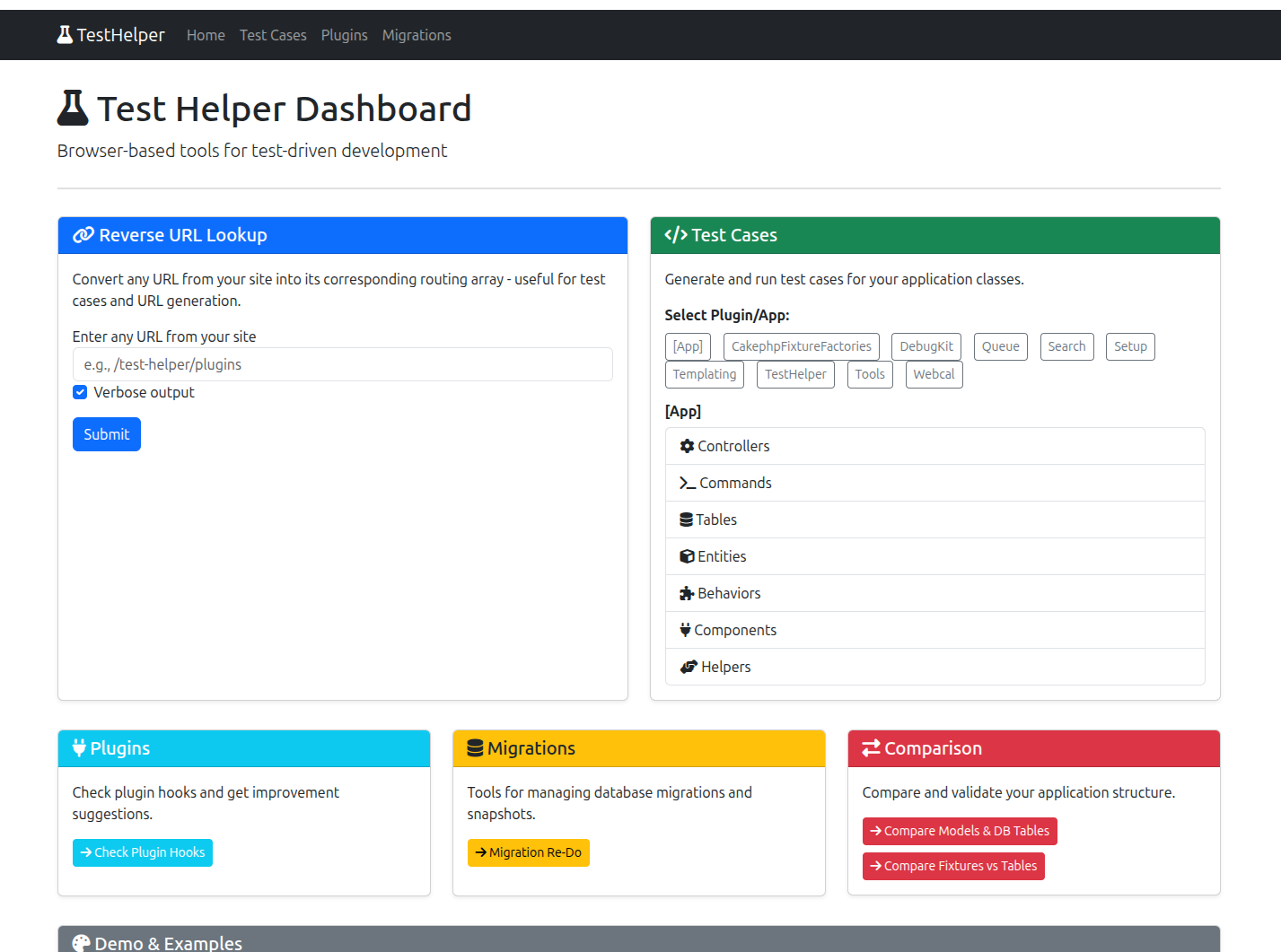
Complete Installation first, then open /test-helper in your local application. The dashboard lists available class types and links to the tools.
Start with the Reverse URL Lookup form on the dashboard: enter the path of an existing application route, such as /test-helper, and submit it. The result shows the route parameters that CakePHP matched. This checks routing without running tests or modifying database tables.
For a first CLI check, run:
bin/cake linter --helpReview Custom Linter Tasks before selecting tasks. Some tasks can update files; inspect their options and use a disposable checkout for the first run.
Access and optional tools
The backend uses its own controller base, so it does not inherit your application's AppController authentication callbacks. Application middleware still applies. Debug-only loading limits where the routes exist; it does not authenticate visitors to a publicly reachable development server.
Keep the backend on a private development instance or behind your application middleware access gate. With the Authorization plugin, TestHelper automatically skips authorization checks while debug is enabled; TestHelper.ignoreAuthorization also skips them. See Configuration for these settings.
The dashboard and URL tools do not require Bake or a coverage extension. Generating tests needs Bake; browser test execution needs PHPUnit and permission to launch PHP processes. Database tools need the relevant database connection. See Installation for the optional packages.
See Troubleshooting if the backend does not render.